Also available in: Tiếng Việt · Bahasa Indonesia · ภาษาไทย · Português · Қазақша · 中文 · Français · العربية · Русский · Español
On this page
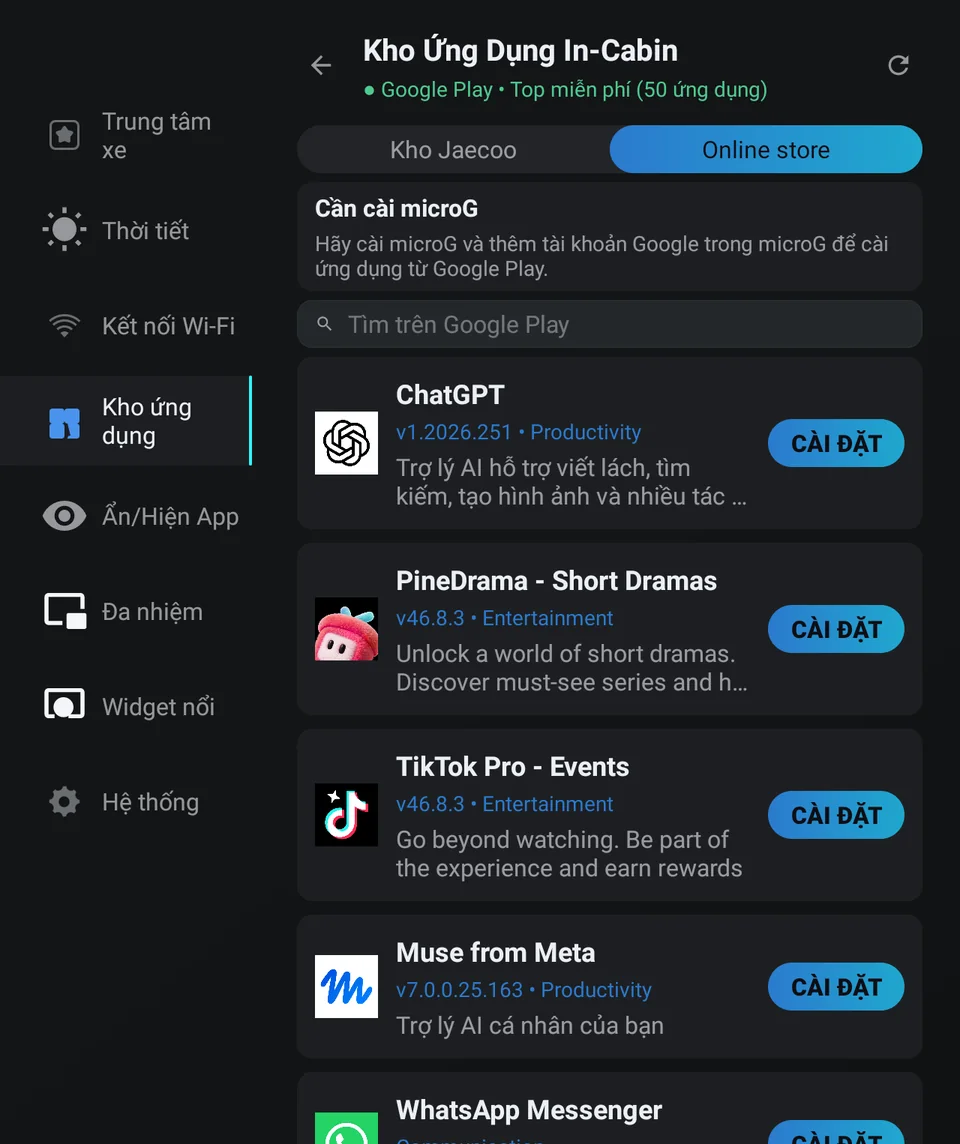
The Jaecoo J7 and Omoda C5 head units have no Google Play Store and no Google Play Services, so you won’t find Play on the car screen. JaecooApp’s Online store fills the gap: it searches the whole Google Play catalog and installs free apps straight to the car.
What you need
- JaecooApp on the car: enable ADB, then use the installer.
- MicroG with your Google account signed in (Jaecoo store → MicroG → open → sign in).
- Internet on the car.
Step 1: Sign in
- Open JaecooApp → App Store → Online store.
- If it says microG required, install MicroG from the Jaecoo store tab and add a Google account in it.
- Tap Sign in. You’ll see Signed in as followed by your account.
Step 2: Find and install apps
- The tab opens on Google Play’s top free apps. Use Search Google Play for anything else.
- Tap an app to install it. It downloads straight from Google Play.
Limits
| Message | Meaning |
|---|---|
| Paid apps are not supported. | Only free apps can be installed for now. |
| Apps with expansion files (OBB) are not supported. | Many large games need these files. |
| … is not compatible with this device. | The app isn’t published for this kind of device. |
| … is not released in the Google Play country of this account. | Use an account from a country where the app is released. |
| Google session expired. Please sign in again. | Tap Sign in again. |
Frequently asked questions
Why does it say an app is not released in my country?
Google Play follows the country of your Google account. Sign in with an account registered in the country where the app is released, or change the account's Play country.
Why can't I install a paid app?
Paid apps aren't supported yet, and neither are apps that need expansion (OBB) files, which includes many large games.
It says the app is not compatible with this device.
Some apps are only published for phones or need hardware the head unit doesn't have. Those can't be installed.