Also available in: Tiếng Việt · Bahasa Indonesia · ภาษาไทย · Português · Қазақша · 中文 · Français · العربية · Русский · Español
On this page
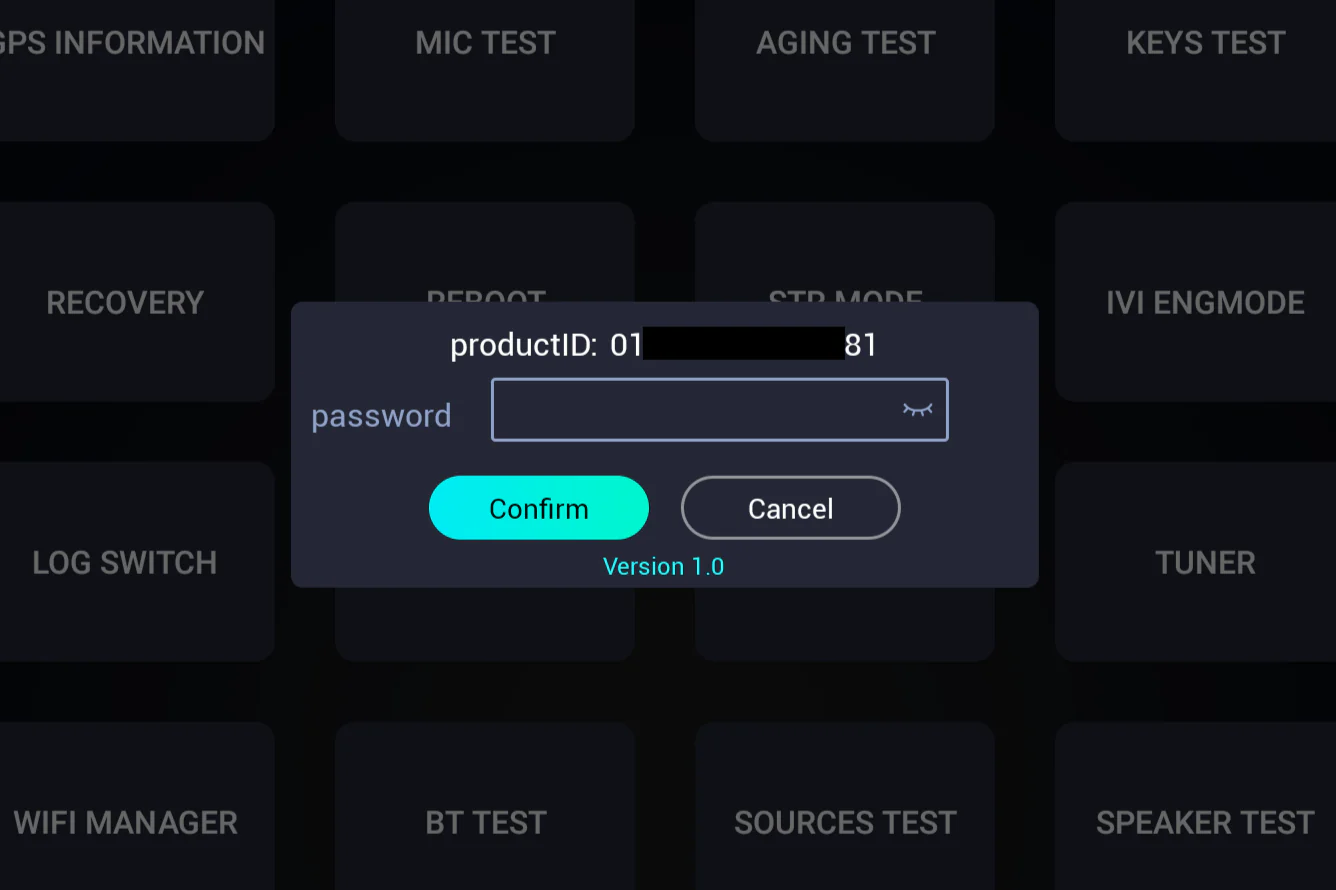
To turn on ADB on the Jaecoo J7 or Omoda C5 you open the engineering menu and tap Encryption. The car then asks for a password. It isn’t a fixed code: the dialog shows a version and a few numbers, and the password is calculated from them.
Step 1: Open the password window
- Jaecoo J7: Settings → System, tap the Version information title 10 times.
- Omoda C5: Settings → System, tap the bottom-left corner of the screen 10 times (C5 guide).
Then tap Encryption in the engineering menu.
Step 2: Read the version and the numbers
The window says Version 1.0, Version 2.0 or Version 3.0. Each asks for different numbers:
| Version | Numbers to read from the car screen |
|---|---|
| Version 1.0 | The last 7 digits of the productID |
| Version 2.0 | The 6-digit productID and the 4-digit ranNum |
| Version 3.0 | The full 17-character VIN and the 4-digit RAND |
Step 3: Calculate the password
- Open the calculator in the ADB guide and pick the tab that matches your version.
- Type the numbers exactly as shown. The password appears as soon as every field is filled in.
- Enter only the 6-character password in the car, then open ADB SWITCH and set it to Open.
Frequently asked questions
Is there one master password for every car?
No. The password is calculated from numbers shown on your own car's screen, so it is different for every car and often every time.
Is the calculation sent to a server?
No. The calculator on the ADB guide page runs entirely in your browser.
What do I enter in the car - the productID, the VIN or the result?
Only the 6-character result. Never type the productID or VIN into the password field.