Also available in: Tiếng Việt · Bahasa Indonesia · ภาษาไทย · Português · Қазақша · 中文 · Français · العربية · Русский · Español
JaecooApp’s floating widget is a round weather bubble that stays on top of every app on the Jaecoo J7 or Omoda C5 screen, even during navigation. Tap it and a ring of shortcuts opens your favourite JaecooApp screens and apps in one touch.
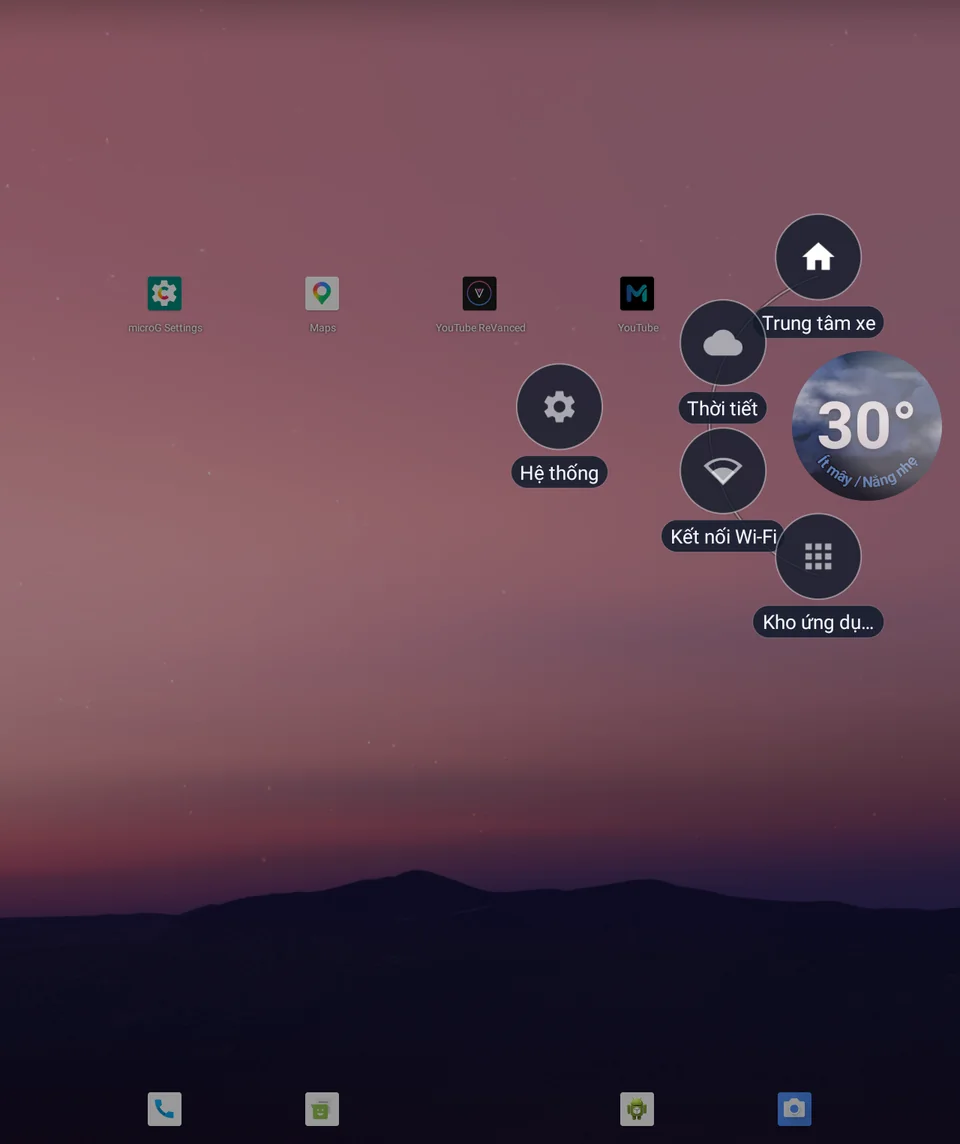
Turn it on
- Install JaecooApp with the installer.
- Open JaecooApp → Floating Widget and switch it on. The widget appears when you leave JaecooApp.
- If asked, allow Display over other apps.
Make it yours
In Widget Settings you see a live preview of every change:
- Bubble Size: Small, Medium or Large
- Transparency: Faint, Balanced or Solid
- Theme: more than 15 animated looks, from Sky and Frosted to Air quality and Dashboard
- App Screens on the Ring: which JaecooApp screens the bubble opens
- Installed Apps: put apps such as YouTube Music or Google Maps on the ring
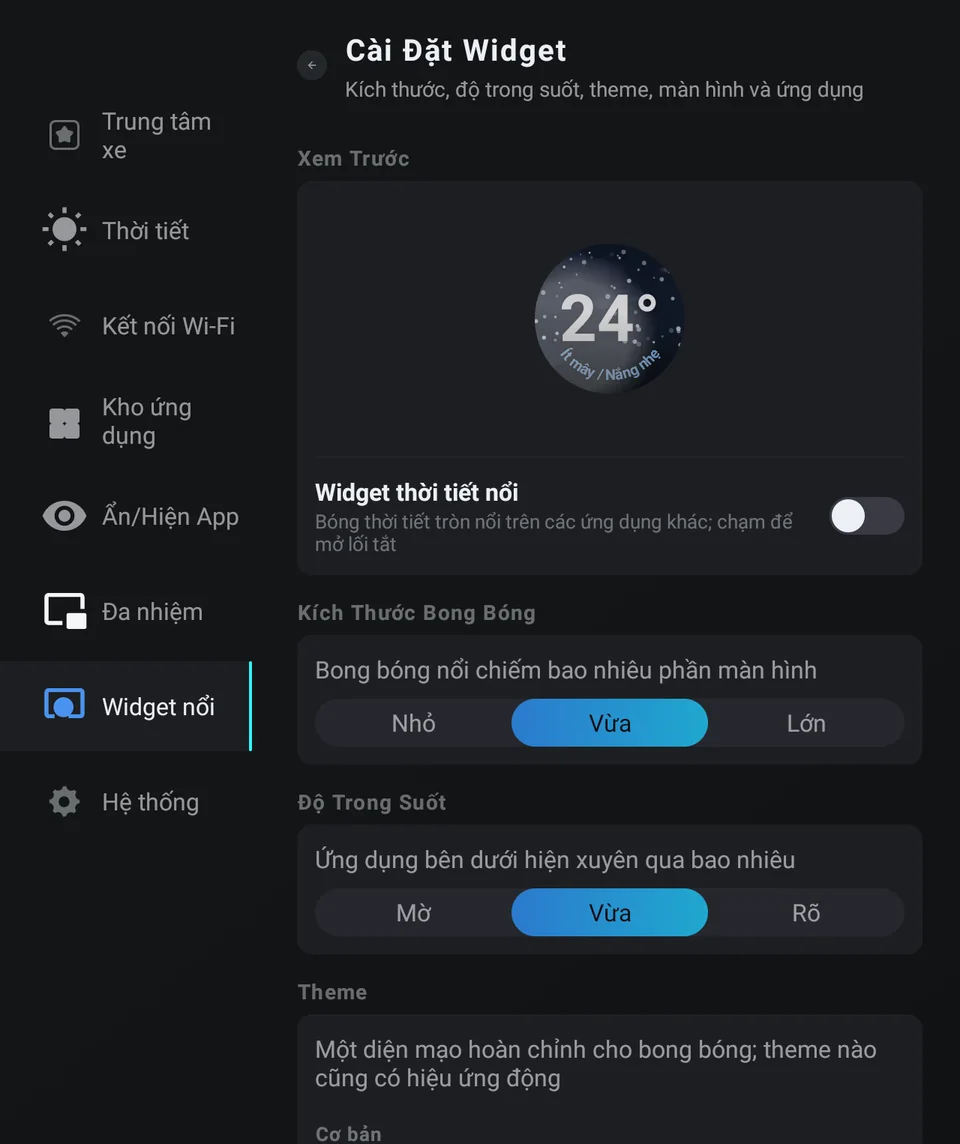
Drag the bubble anywhere on the screen so it never hides what you need.
Good to know
- The bubble steps aside while JaecooApp itself is open and comes back as soon as you leave it.
- While it runs, Android shows the notification Weather widget is running. Its Turn off button stops the widget.
- The ring keeps at least one shortcut and holds a limited number; JaecooApp tells you when it’s full.
- Bubble gone after the car was switched off? Open JaecooApp once and leave it again.
Frequently asked questions
Where does the weather come from?
JaecooApp's weather screen, with the city you choose. Forecasts are cached, so the bubble still shows data when the car is offline.
Why don't I see the bubble?
It appears when you leave JaecooApp, and it needs the Display over other apps permission.
How do I turn the bubble off?
Switch it off in JaecooApp → Floating Widget, or tap Turn off in the Weather widget is running notification.
JaecooApp says the vehicle has no screen for the permission. What now?
Grant Display over other apps from the installer page, under Floating bubble permission for installed apps, then switch the widget on again.