
Also available in: Tiếng Việt · Bahasa Indonesia · ภาษาไทย · Português · Қазақша · 中文 · Français · العربية · Русский · Español
On this page
Changing the fan speed on the Jaecoo J7 means opening the climate screen and finding the control, often while driving. JaecooApp’s Gesture Control puts climate actions on multi-finger swipes that work anywhere, even over Google Maps.
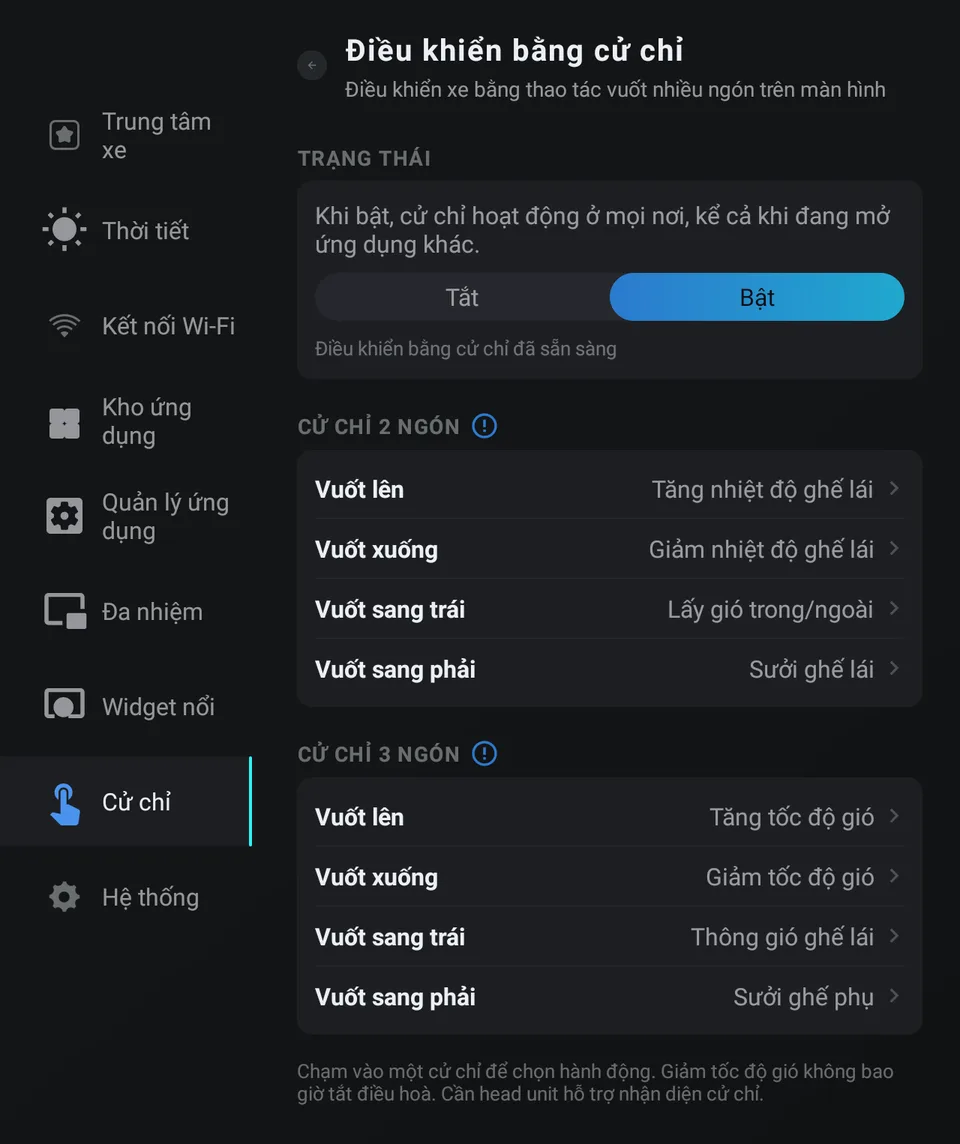
How the gestures work
Place two or three fingers on the screen at the same time and swipe a short distance up, down, left or right. That’s eight gestures. Each swipe runs its action once.
By default, three fingers up / down raises or lowers the fan speed.
Step 1: Turn it on
- Install JaecooApp with the installer.
- Open JaecooApp → Gestures and switch gesture control On. It starts again by itself after the car boots.
Step 2: Choose what each gesture does
Tap a gesture to pick its action:
- Increase / decrease fan speed
- Raise / lower driver temperature, raise / lower passenger temperature
- Recirculation / fresh air
- Driver or passenger seat heating, driver or passenger seat ventilation

Step 3: Allow on-screen feedback
Tap the hint to allow Display over other apps, so a bar with the new fan level or temperature shows at the top of the screen over the app you’re using.
Frequently asked questions
Does it work while Google Maps is open?
Yes. When gesture control is on, gestures work over any app, and the result shows at the top of the screen.
Can a swipe turn the climate control off?
No. Lowering the fan speed stops at the minimum and never switches the climate control off.
Which actions can I use?
Fan speed, driver and passenger temperature, recirculation or fresh air, and seat heating and ventilation. Available actions depend on how the car is equipped.