Also available in: Tiếng Việt · Bahasa Indonesia · ภาษาไทย · Português · Қазақша · 中文 · Français · العربية · Русский · Español
On this page
Google Maps on the Jaecoo J7 normally means plugging in your phone for Android Auto. With JaecooApp you can install Google Maps on the head unit itself: full screen, signed in to your Google account, with your saved places and live traffic.
If you have already installed YouTube with our YouTube guide for the J7, JaecooApp and MicroG are on the car: jump to Step 3.
What you need
- A laptop or Android phone with Chrome or Edge, and a USB-A to USB-A data cable.
- The car on, screen awake, Bluetooth off on the head unit.
- An internet connection on the car, for example your phone’s Wi-Fi hotspot.
Step 1: Enable ADB and install JaecooApp
- On the car, open Settings → System and tap the Version information title 10 times.
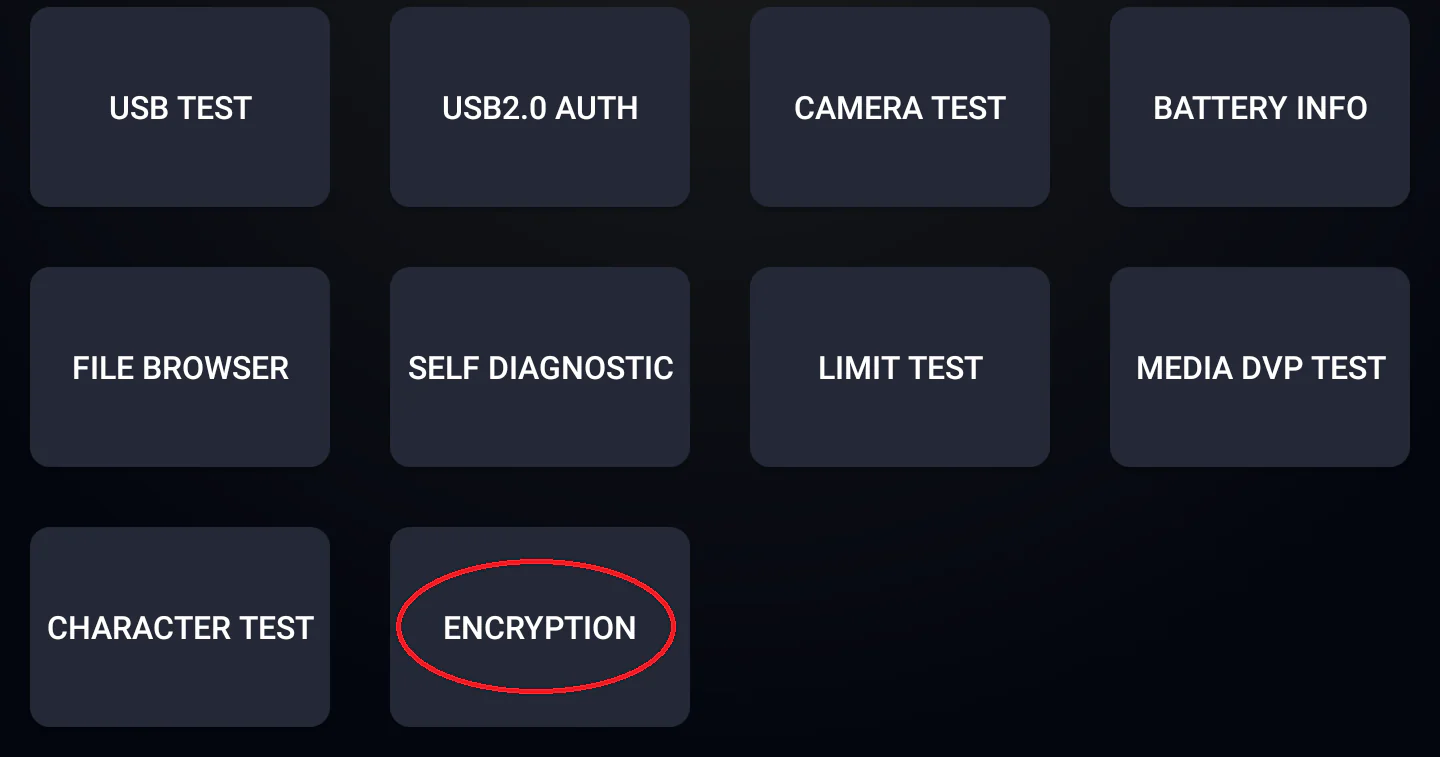
- In the engineering menu, open Encryption, calculate the password with the ADB guide and enter it.
- Open ADB SWITCH and set Adb Switch to Open.
- Plug the cable into the car’s USB-A (CarPlay / Android Auto) port, open the installer, press Connect Head Unit, allow USB debugging on the car, then press Install JaecooApp.
Step 2: Install MicroG and sign in
Google Maps signs in through Google Play Services, which the J7 does not have. MicroG takes its place.
- Open JaecooApp → Jaecoo Store and install MicroG.
- Open MicroG and sign in with your Google account.
Step 3: Install Google Maps
- In Jaecoo Store, install Google Maps.
- Open it, choose your Google account, and allow location access when Maps asks, so it can follow the car.
Your saved places, home and work addresses and recent searches appear as on your phone.
Frequently asked questions
Why not just use Android Auto?
Android Auto needs your phone connected the whole time. Google Maps installed on the J7 runs on the car itself, on the full screen, next to the car's own apps.
Does Google Maps need a Google account?
Yes, for search history, saved places and live traffic. Sign in once in MicroG and Maps uses that account.
Where does the internet connection come from?
From whatever the head unit is connected to, usually your phone's Wi-Fi hotspot. Without internet, Maps cannot search or show live traffic.
Is there an alternative to Google Maps?
Waze is also in Jaecoo Store, for community traffic, accident and speed camera alerts.